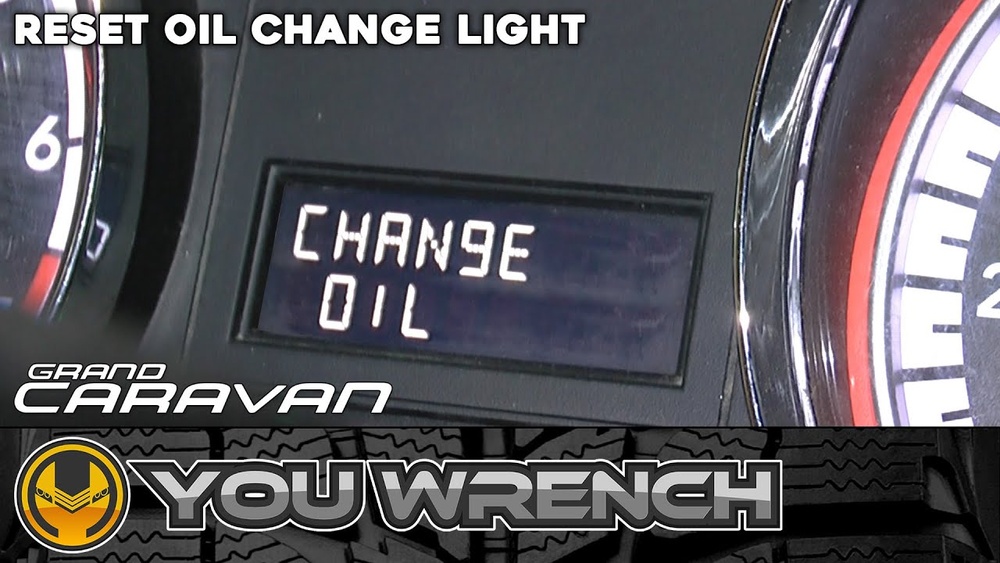
Your Dodge Grand Caravan’s oil change light just came on, and now you’re wondering how to reset it. It’s a small task, but if you ignore it, the light can keep bothering you every time you start the engine.
Luckily, resetting the oil change light is easier than you might think. You’ll discover simple, step-by-step instructions to turn that warning off quickly—so you can get back on the road with confidence. Keep reading, and you’ll have your Dodge running smoothly in no time.
Oil Change Light Purpose
The oil change light in your Dodge Grand Caravan signals when your engine oil needs attention. This light helps you maintain your vehicle’s health by reminding you to change the oil. Oil keeps the engine parts running smoothly and prevents damage. Ignoring this light can lead to costly repairs and poor engine performance.
Why The Light Activates
The oil change light turns on after a set number of miles. The car’s computer tracks oil life based on driving habits and engine conditions. When the oil quality drops or reaches a limit, the light comes on. It warns you that the oil no longer protects the engine well. This alert helps prevent engine wear and keeps your vehicle reliable.
Importance Of Resetting
Resetting the oil change light after an oil change is crucial. It clears the old reminder and starts a new countdown for the next oil change. Without resetting, the light may stay on, causing confusion. Resetting ensures accurate tracking of oil life. This helps you avoid early or late oil changes, saving money and protecting the engine.
Tools Needed
Resetting the oil change light on a Dodge Grand Caravan is a simple task. You need a few tools to complete it easily and safely. Having the right items ready helps you finish the job quickly.
Essential Items
To reset the oil change light, you need a few basic tools. First, a key or remote to turn the ignition on and off. Second, a clean cloth to wipe the dashboard if needed. Third, your vehicle’s owner manual for specific instructions. These tools make the process smoother and reduce errors.
Precautions To Take
Always park your vehicle on a flat surface before starting. Make sure the engine is off and cool to avoid burns. Avoid touching any moving parts or hot engine areas. Keep your hands clean and dry to prevent slipping on buttons or switches. Follow the steps carefully to prevent mistakes.
Reset Method For Dodge Grand Caravan
The oil change light on a Dodge Grand Caravan signals it is time for maintenance. Resetting this light after changing the oil keeps the vehicle’s system accurate. This process is simple and does not require tools.
Follow the reset method to clear the oil change light. This helps keep track of your next service. The reset uses the dashboard controls and takes only a few minutes.
Step-by-step Guide
Start by turning the ignition to the “On” position. Do not start the engine. Press the gas pedal fully three times within ten seconds. Turn the ignition off, then start the engine to check the reset.
Using The Dashboard Controls
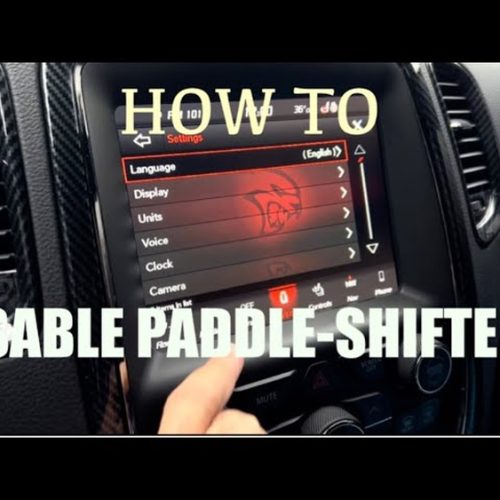
Press the “Menu” button on the dashboard. Scroll to the “Vehicle Info” section. Select “Oil Life” or “Oil Life Reset.” Press and hold the “OK” button until the display resets. The oil change light should turn off.

Credit: www.youtube.com
Alternative Reset Options
Resetting the oil change light on a Dodge Grand Caravan can be done in several ways. Besides the standard method, alternative reset options exist. These options help you clear the light without visiting a mechanic.
Two common alternatives are the manual reset procedure and using diagnostic tools. Both methods are effective and easy to follow. Choose the one that fits your comfort and tools available.
Manual Reset Procedure
Start by turning the ignition to the “ON” position. Do not start the engine. Press the gas pedal fully three times within 10 seconds. Release the gas pedal and turn the ignition off. Wait for a few seconds, then turn the ignition back on. The oil change light should be off. This method works on many Dodge Grand Caravan models.
Using Diagnostic Tools
Diagnostic tools read the vehicle’s computer system. Connect the tool to the OBD-II port under the dashboard. Follow the tool’s instructions to access the maintenance menu. Select the oil change reset option. Confirm the reset command. The tool will clear the oil change light. This method is quick and precise. It also helps check other vehicle systems.
Common Issues And Fixes
Resetting the oil change light on a Dodge Grand Caravan can sometimes run into issues. These common problems often stop the light from turning off, even after an oil change. Understanding these issues helps you fix the problem quickly and keep your vehicle running smoothly.
Light Won’t Reset
The oil change light may stay on due to a reset error. The reset process requires a specific sequence of steps. Missing one step can cause the light to stay lit. Make sure the ignition is turned on but the engine is off. Press and hold the gas pedal fully for about 10 seconds until the light blinks or turns off. If this does not work, try again carefully. Sometimes the vehicle needs a short drive for the system to update.
Sensor Problems
The oil change light depends on sensors to know when to reset. Faulty sensors can send incorrect signals. Dirt, damage, or old parts can cause sensor failure. If the light stays on, check the oil life sensor first. Replacing a bad sensor often fixes the problem. Use a diagnostic tool to find sensor errors. Regular maintenance helps prevent sensor issues. Clean sensors carefully during oil changes to keep them working well.

Credit: www.greatwestchrysler.com
Maintenance Tips
Proper maintenance keeps your Dodge Grand Caravan running smoothly. Paying attention to oil changes helps avoid engine problems. It also saves money on costly repairs. Follow these simple tips to keep your vehicle in top shape.
Regular Oil Checks
Check your oil level every month or before long trips. Use the dipstick under the hood to see the oil level. Make sure the oil looks clean and is at the right level. Low or dirty oil can harm the engine. Adding oil early prevents major damage.
Scheduling Oil Changes
Change your oil every 3,000 to 5,000 miles, depending on your driving. Using the right oil type is important for your engine. Write down the date and mileage after each oil change. Keeping a schedule helps you avoid missing oil changes. Reset the oil change light after each service to track properly.
Credit: www.instructables.com
Frequently Asked Questions
How Do I Reset The Oil Change Light On Dodge Grand Caravan?
To reset the oil change light, turn the ignition to ON without starting. Press the accelerator fully three times within 10 seconds. Turn off the ignition, then start the engine to confirm the light is reset.
Why Won’t My Dodge Grand Caravan Oil Light Reset?
The oil light may not reset if the procedure is incorrect or the vehicle needs an actual oil change. Ensure you follow the reset steps precisely. If the issue persists, check for oil level or sensor problems.
How Often Should I Reset The Oil Change Light?
Reset the oil change light after every oil change. This keeps your maintenance schedule accurate. Typically, oil changes are recommended every 5,000 to 7,500 miles for Dodge Grand Caravan.
Can I Reset The Oil Change Light Without A Scanner?
Yes, you can reset the oil light manually using the accelerator pedal method. No scanner is required for most Dodge Grand Caravan models. Follow the specific reset steps carefully to avoid errors.
Conclusion
Resetting the oil change light on your Dodge Grand Caravan is simple. Follow the steps carefully to avoid mistakes. This small task keeps your vehicle’s system accurate. Regular oil changes help your engine run smoothly. Remember to check the light after each oil change.
Staying on top of maintenance saves time and money. Keep your van in good shape for a long drive. Taking these easy actions makes car care less stressful. You can do this yourself without extra help. Safe driving starts with a well-maintained vehicle.