

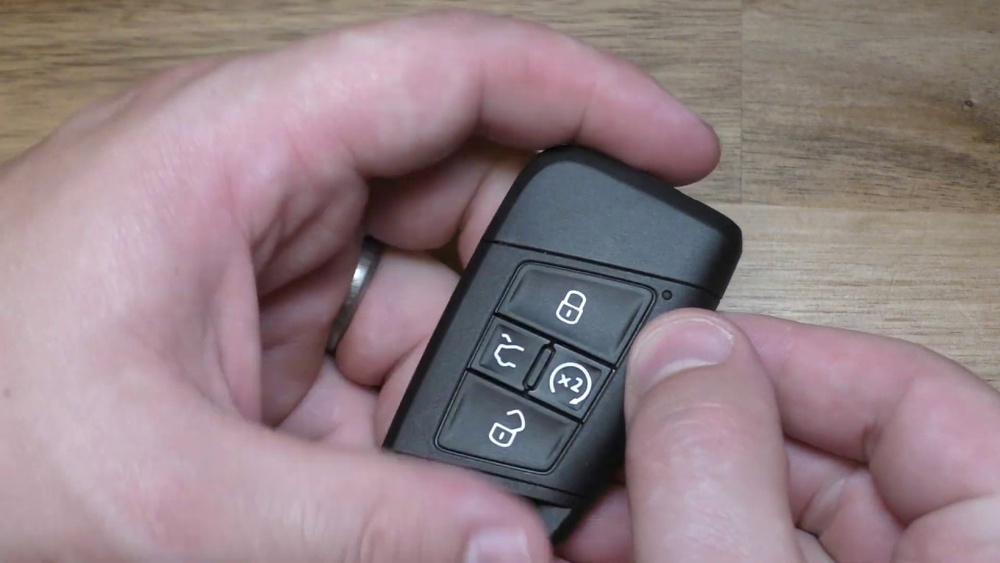
Is your Volkswagen key suddenly not working as well as it used to? It might be time to change the battery.
Knowing how to do this yourself can save you time, money, and the hassle of visiting a dealer. In this guide, you’ll discover simple, step-by-step instructions to replace your Volkswagen key battery quickly and safely. Keep reading, and you’ll have your key working like new in no time.

Credit: www.vwofdaphne.com
Tools Needed
Changing the battery in a Volkswagen key is simple with the right tools. Having these tools ready makes the process quick and smooth. You won’t need to rush or struggle.
Gathering the proper tools helps avoid damage to your key. It also ensures you replace the battery safely and correctly. Below are the essential tools you need.
Small Flathead Screwdriver
A small flathead screwdriver helps open the key case. It fits into the tiny slot without scratching the plastic. This tool carefully separates the key halves.
Replacement Battery
Use the correct battery type for your Volkswagen key. Most models use a CR2032 button battery. Check your key or manual for the exact battery model.
Clean Cloth
A clean cloth keeps your hands and key free from dirt. It also helps hold the key steady while changing the battery. This prevents slipping and damage.
Plastic Pry Tool (optional)
A plastic pry tool gently opens the key without scratching. It is safer than metal tools for delicate parts. This tool is useful if the case is tight.
Locate The Key Release
Locating the key release on your Volkswagen key is the first step to change the battery. This small part lets you remove the key blade easily. It allows access to the battery compartment inside the key fob.
Knowing exactly where the key release is saves time and avoids damage. It is usually a tiny button or switch on the key’s side or back. Pressing or sliding this release frees the key blade for removal.
Find The Release Button
Look carefully along the key fob edges. The release button is often small and flush with the surface. It might have a small arrow or symbol near it.
Press Or Slide The Release
Gently press or slide the release button. The key blade should pop out or slide away. Use your thumb to apply steady pressure.
Remove The Key Blade
Once the release is activated, pull the key blade out. Keep the key fob steady with your other hand. The blade should come out smoothly.
Open The Key Fob
Opening the key fob is the first step to change the battery in a Volkswagen key. This part is simple but needs care. A wrong move can damage the fob or its parts.
Take your time. Use the right tools and follow easy steps. This guide helps you open the fob safely and quickly.
Locate The Seam
Find the small line where the two halves of the key fob meet. This seam is usually along the side. It is the place to pry open the fob.
Use A Flat Tool
Use a flat tool like a small screwdriver or a coin. Gently insert it into the seam. Twist or slide it slowly to open the case.
Be Gentle
Apply light pressure only. Too much force can break the plastic. Work your way around the edges until the fob pops open.
Separate The Halves
Once loosened, carefully pull the two halves apart. Keep the buttons and circuit board safe inside. Do not lose small parts.
Remove The Old Battery
Removing the old battery from your Volkswagen key is the first step to ensure your key works properly again. The process is simple and does not need special tools. Taking out the old battery carefully helps protect the key’s internal parts.
Follow clear steps to open the key and access the battery. Handle the key gently to avoid damage. This part is important to keep your key functional.
Locate The Battery Compartment
Start by finding the small notch or seam on your key. This is where the key case splits open. Use your fingernail or a small flat tool to pry the case apart. Open it slowly to avoid breaking the plastic parts inside.
Remove The Battery Cover
Once the key is open, look for the battery cover. It may snap off or slide out easily. Keep the cover safe to use again after the battery is replaced. Do not force it if it feels stuck. Try a gentle wiggle to loosen it.
Take Out The Old Battery
Use your fingers or a small tool to lift the old battery out. Note how the battery is placed, so the new one fits correctly. Avoid touching other parts inside the key. This keeps the key clean and working well.
Select The Right Replacement Battery
Selecting the right replacement battery is key to keeping your Volkswagen key working well. The battery powers the remote functions and allows the key to communicate with your car. Using the wrong battery can cause problems or damage the key.
It is simple to find the correct battery if you know what to check. This guide helps you pick the right one easily.
Check Your Volkswagen Key Model
Different Volkswagen keys use different batteries. Look at your key to find the model number. This number is often inside the key case or on the back of the key. Knowing the model helps you find the exact battery type needed.
Identify The Battery Type
Most Volkswagen keys use coin cell batteries. The common types are CR2032, CR2025, or CR2016. These numbers show the size and power of the battery. Check the old battery to read its type before buying a new one.
Buy From A Trusted Source
Choose a battery from a reliable store or brand. Low-quality batteries may not last long or fit properly. Genuine or high-quality batteries ensure your key works without issues for a long time.
Consider Battery Life And Power
Pick batteries with good power and long life. This means fewer replacements and better performance. Check the battery package for information on how long it lasts and its voltage.
Insert The New Battery
Inserting the new battery into your Volkswagen key is a simple step. It restores the key’s power and keeps your car remote working well. Follow these clear instructions to place the battery correctly. A proper fit ensures your key functions smoothly without issues.
Identify The Battery Type
Check the old battery for its type and size. Most Volkswagen keys use CR2032 or CR2025 batteries. Using the right battery is important for the key’s performance. Look at the number printed on the old battery before buying a new one.
Place The Battery In The Correct Position
Insert the new battery with the positive side facing up. The positive side usually has a “+” sign on it. Align the battery carefully to avoid damaging the key. Proper placement helps the key send signals correctly.
Secure The Battery In Place
Press the battery gently into the slot. It should fit snugly without moving around. Close the key case by snapping it back together. Make sure the case clicks to confirm it is sealed well.
Reassemble The Key Fob
Reassembling the Volkswagen key fob is the final step after changing the battery. It is important to handle the parts carefully to avoid damage. Follow each step slowly to ensure the key works perfectly.
Pay close attention to how the pieces fit together. The key fob must close tightly to protect the battery and internal components.
Align The Key Fob Halves
Start by placing the two halves of the key fob close to each other. Check that the buttons and battery sit correctly inside. Make sure no wires or small parts are out of place.
Press The Halves Together Firmly
Press the key fob halves together with gentle but firm pressure. You should hear a soft click or snap. This means the clips are locked in place, securing the key fob.
Test The Key Fob Buttons
Press each button to see if they work smoothly. The key should lock, unlock, and perform other functions. If a button feels stuck, open the fob and realign the parts.

Credit: www.youtube.com
Test The Key Function
Changing the battery in a Volkswagen key is quick and simple. Open the key case carefully, replace the old battery with a new one, and test the key function to ensure it works properly. This keeps your key ready to use at all times.
Check The Key’s Light Indicator
After changing the battery, watch the key’s light. Press any button on the key fob. The small light should blink. This shows the battery and key work well. If the light does not blink, the battery might not be installed correctly. Try replacing the battery again. The light helps confirm the key’s power status quickly.
Test Remote Lock And Unlock
Stand near your Volkswagen. Press the lock button on the key. The car’s lights or horn usually respond. Next, press the unlock button. The car should unlock smoothly. This test proves the key sends signals properly. If nothing happens, check the battery fit again. Testing remote functions is important for daily use.
Start The Car Using The Key
Insert the key into the ignition or use the push-start button. The car should start without issues. This step confirms the key’s battery supports the ignition system. If the car does not start, the battery might be weak or dead. Make sure the battery is fresh and placed right. Starting the car proves the key’s full function.
Tips To Extend Battery Life
Extending the battery life of your Volkswagen key saves time and money. Small actions can keep the battery working longer. This helps avoid sudden battery failures.
Follow these easy tips to make your key battery last. They are simple and effective.
Store Your Key Away From Heat
Heat makes batteries lose power faster. Keep your key in a cool, dry place. Avoid leaving it in direct sunlight or hot cars.
Press Buttons Only When Needed
Each button press uses battery power. Do not press buttons repeatedly or hold them too long. Use the key only when necessary.
Remove Battery If Not Used For Long
If you will not use your Volkswagen key for weeks, remove the battery. This stops battery drain and prevents corrosion inside the key.
Keep Key Clean And Dry
Dirt and moisture can harm the battery and contacts. Wipe the key gently with a soft cloth. Avoid water or liquids near the key.
Replace Battery With The Correct Type
Using the right battery type ensures good performance. Check your car manual or key for battery model. Do not use old or damaged batteries.

Credit: www.vwofdaphne.com
Frequently Asked Questions
How Do I Open A Volkswagen Key Fob Safely?
Use a small flathead screwdriver to gently pry open the key fob. Insert it into the seam and twist slowly to avoid damage. Do not force it, as this can break the casing or internal parts.
What Type Of Battery Does A Volkswagen Key Use?
Most Volkswagen keys use a CR2032 lithium coin battery. Always check your key’s manual for the exact battery model. Using the correct battery ensures optimal performance and longevity of your key fob.
How Often Should I Replace My Volkswagen Key Battery?
Replace the battery every 1 to 2 years or when the key fob shows weak signals. Signs include reduced range or unresponsiveness. Timely replacement avoids inconvenience and ensures your key works reliably.
Can I Change The Volkswagen Key Battery Myself?
Yes, you can replace the battery yourself with basic tools. Follow instructions carefully to avoid damaging the key. DIY replacement saves time and money compared to dealer service.
Conclusion
Changing the battery in a Volkswagen key is simple and quick. You only need a small tool and a new battery. Follow the steps carefully to avoid damage. A fresh battery keeps your key working well. Don’t wait for your key to stop working.
Replace the battery as soon as you notice problems. This saves time and avoids frustration later. Now, you can handle this small fix yourself with confidence. Keep your Volkswagen key ready for every drive. Easy and useful.